

Customer orders straight into your ERP. No retyping.
Customer orders arrive by email as PDF, Excel, or scans. SmartDocTO extracts the customer and line items, checks them against your reference data, and sends them to your ERP. Your team handles only the exceptions.
- Customer
- Sample Customer Ltd.
- 100%
- Customer order number
- PO-55810
- 100%
| Code | Quantity | Price | Check |
|---|---|---|---|
| A-1020 | 40 pcs | 118.00 | Price list |
| A-1044 | 12 pcs | 364.50 | Price list |
| B-0007 | 5 pcs | 92.00 | Price differs |
How it works today
Every order passes through several hands before it reaches the system.
Orders reach your ERP on their own
The same platform, set up precisely for your orders.
- Intake Shared mailbox Customer link Directly through the API Intake
- Extraction Customer and delivery date Line items row by row Fields that match your ERP Extraction
- Validation Customer and item codes Prices from the price list Exceptions for approval Validation
- Handover REST API to your ERP Pull through our API Status of every handover Delivery
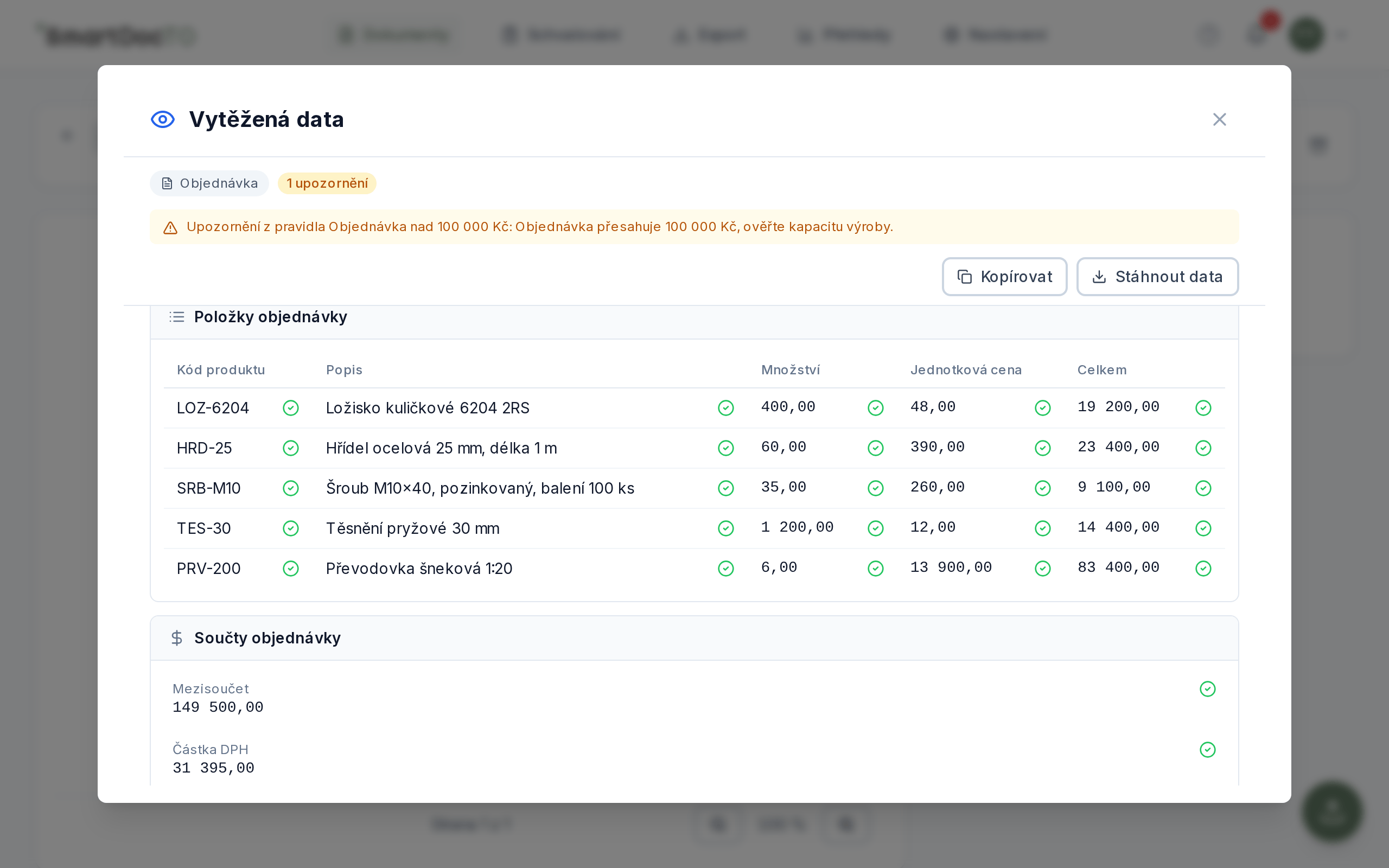
The order with its line items and validation
You see the order with its extracted lines. Validation shows which lines do not match the price list or your reference data.
Who it helps
Anywhere orders arrive as PDF, Excel, or scans rather than through an online store.
Frequently asked questions
What if a customer sends an order in Excel?
We process it the same way as an order in PDF, in Word, or as a JPG or PNG image.
Do we have to change our ERP?
No. We hand over orders through a REST API or SFTP, or your ERP pulls them through our API.
What happens to an order that fails validation?
Depending on the rule, it stops, goes to approval, or moves on with a warning. Your rules decide, not AI.
Can we try it on our own orders?
Yes. The pilot is free of charge, and we set it up with you on your own orders.
Try it on your own orders
A free pilot we set up together with you on your samples.