

Checked before anyone opens the document
Rules check the data right after extraction: against your reference data, your ERP, and the ARES business register. You decide what stops a document and what only adds a warning.
We check against your data and public registers
Two sources you can combine.
Set up rules in a clear editor
The condition, data source, check result, and value normalization are all in one place.
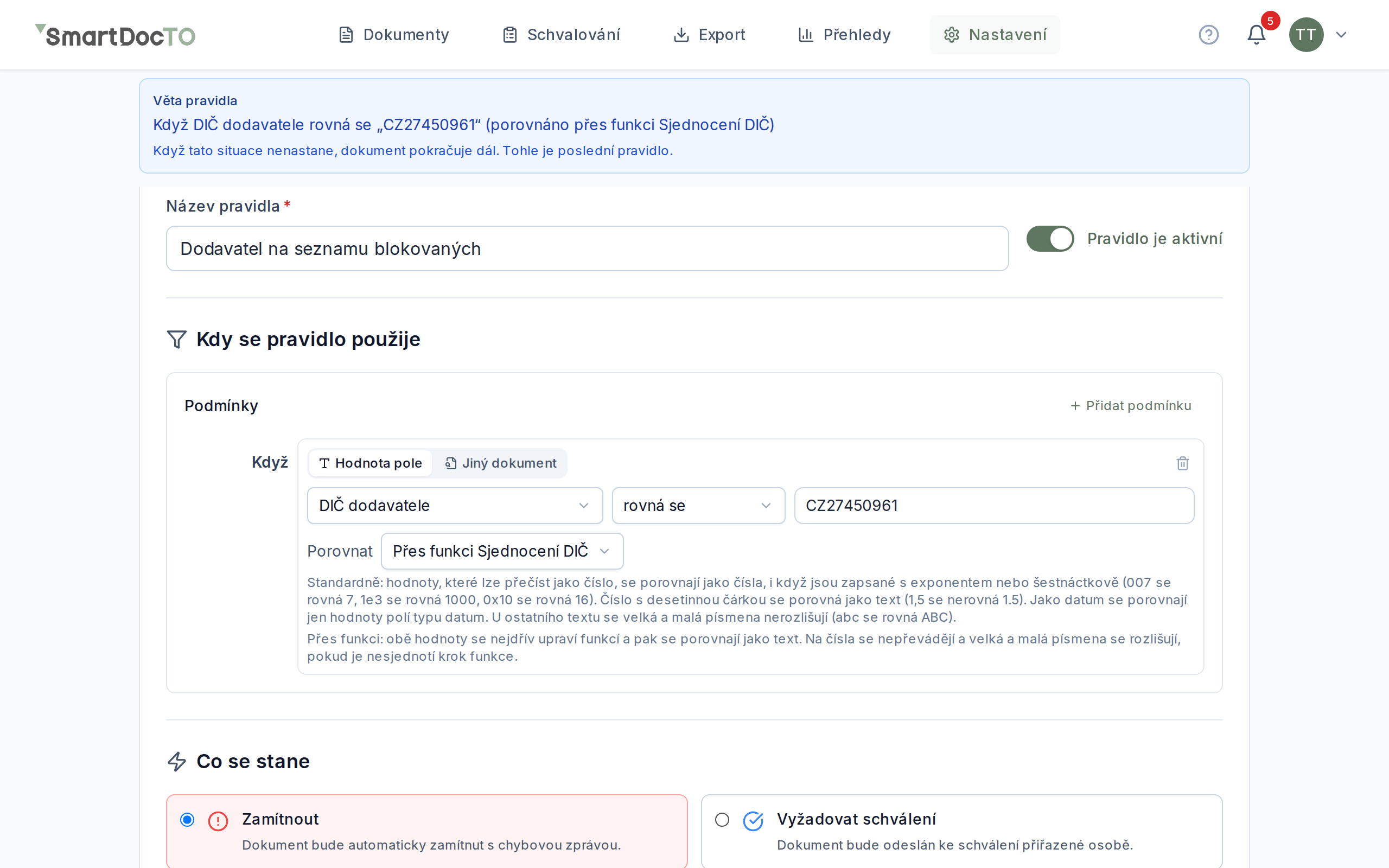
The platform catches errors on its own
We set up the rules with you once at launch. After that, every document is checked automatically.
The document is rejected or waits for a manual review. It does not go to approval or to the ERP until someone resolves it.
The finding stays on the document as a warning, and the process is not held up. Useful where a deviation may not be an error.
| Document | Rule | Result |
|---|---|---|
| Order | Customer is in the customer reference data | Stop |
| Order | Line item prices match the price list | Warn only |
| Invoice | Order exists in the ERP | Stop |
| Invoice | Company ID and VAT ID match ARES | Stop |
| Delivery note | Belongs to an existing order | Warn only |
| Timesheet | Total hours match the invoice | Warn only |
What makes validation smarter
Fewer false alarms, more real errors caught.
Data normalization
Across documents
Recalculations
Waiting for data
Documents that belong together
We link the order, delivery note, and invoice by a shared value, such as the order number.
Frequently asked questions
Do we have to maintain reference data by hand?
No. The platform pulls reference data from your system regularly, or your system sends it on its own. You can also check online directly in your ERP.
What if a rule is set up wrong?
You can change the rule at any time or switch it to “Warn only”. The document then moves on, and the warning stays on it.
Do the rules apply the same way to all documents?
No. You set rules for each document type separately, so orders are checked differently from invoices.
Try it on your own documents
A free pilot we set up together with you on your samples.