

A woman at a desk with a laptop takes a folder of documents from a colleague

All your documents in one place, wherever they come from

Email, upload, API, and a supplier link. SmartDocTO receives every document, scans it for viruses, recognizes its type, and sends it on. Nothing gets lost in a mailbox.

Received today Automatic sorting
Email to invoices@ with a PDF attachment Invoice
Email to orders@ with an Excel spreadsheet Order
Delivery note scan through the supplier link Delivery note
A scan the platform is not sure about To sort

Four channels, one intake

Documents arrive the way your suppliers and customers are used to sending them. You have them all in one place.

Email
We connect the Microsoft 365 mailboxes you already use. Your suppliers and customers keep sending to the same address.
Upload
Drag files into the app, even a whole batch at once.
API
Your systems send documents directly through the API, with no email and no manual work.
Supplier link
A supplier uploads a document through your link, with no account and no sign-in.

Set up the mailbox and sorting once

Choose which documents from the mailbox to process and with which template. The platform handles every email after that on its own.
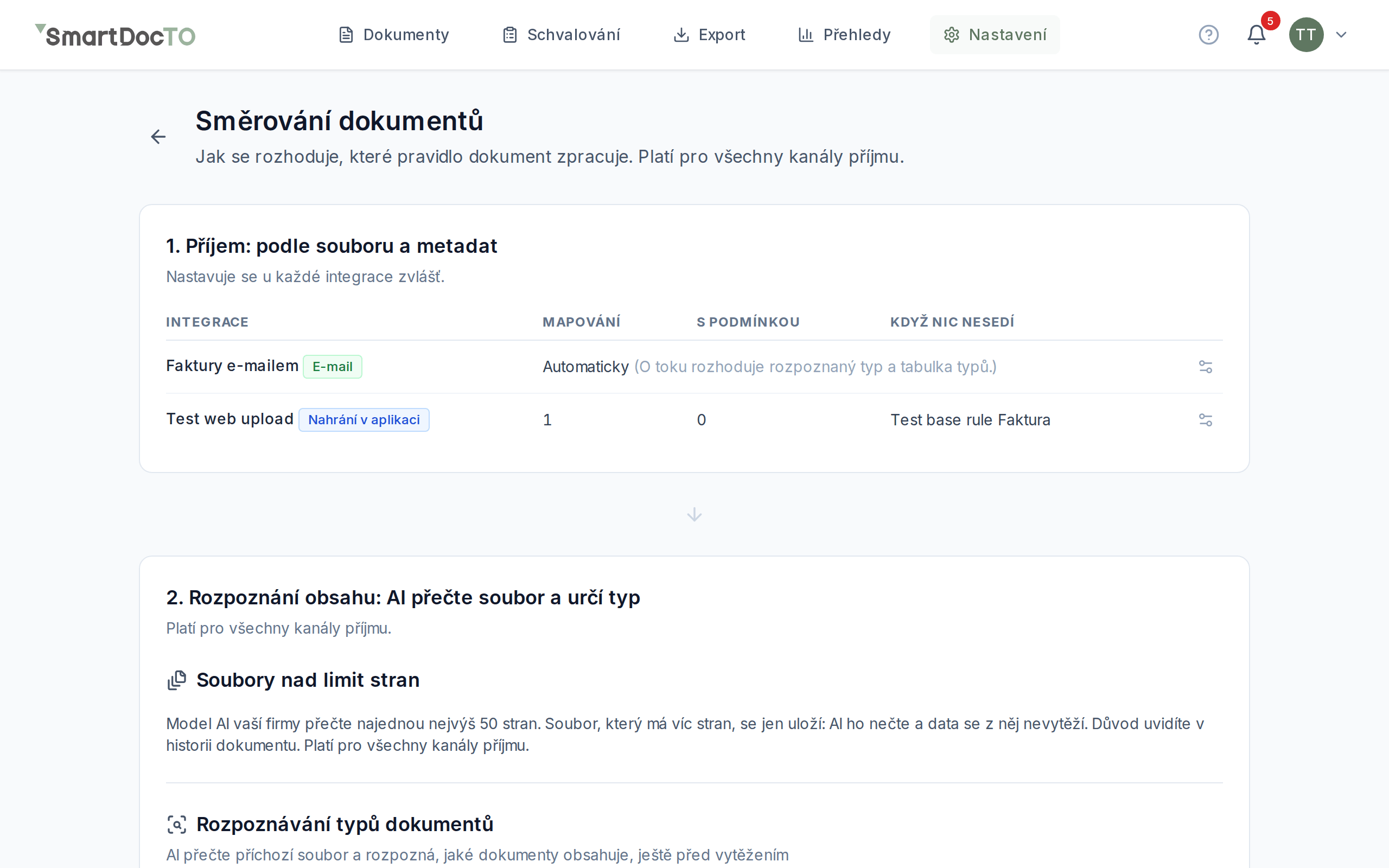
Email mailbox setup and sorting by document type in SmartDocTO

What intake can do

The details that keep every document from getting lost.

All channels

Four channels, one shared intake. Shared mailboxes in Microsoft 365, an API for your systems, a supplier link, and manual upload.

The whole email

Nothing gets lost in email. Depending on your settings, it also processes the email text, merges PDF attachments into one document, and moves the email to a folder.

Automatic sorting

One mailbox for all documents. It recognizes an order, an invoice, and a delivery note. When it is not sure, the document waits for a person.

Duplicates and antivirus

A file sent twice is not a problem. Every file is scanned for viruses. A file that already reached your company through any channel is not processed again. The only exceptions are the supplier link and uploads by external users.

Frequently asked questions

Which file types can you receive?

PDF, Word, Excel, and images in JPG or PNG format.

What if one PDF holds several documents?

The platform detects it. Depending on your settings, it splits the file on its own or suggests a split for you to confirm. It then processes each document separately.

Do we have to change our email addresses?

No. We connect the Microsoft 365 mailboxes you already use, and suppliers keep sending documents as before.

Try it on your own documents

A free pilot we set up together with you on your samples.