

Document data exactly the way you need it
AI reads the document and fills in the fields of your template, including line items. When you review the data, each field shows how confident the AI is, so you know right away where to look.
- Supplier
- Sample Supplier Ltd.
- 100%
- Document number
- FV-2026-0388
- 100%
- Total due
- CZK 48,260.00
- 97%
- Cost center
- Production
- 64%
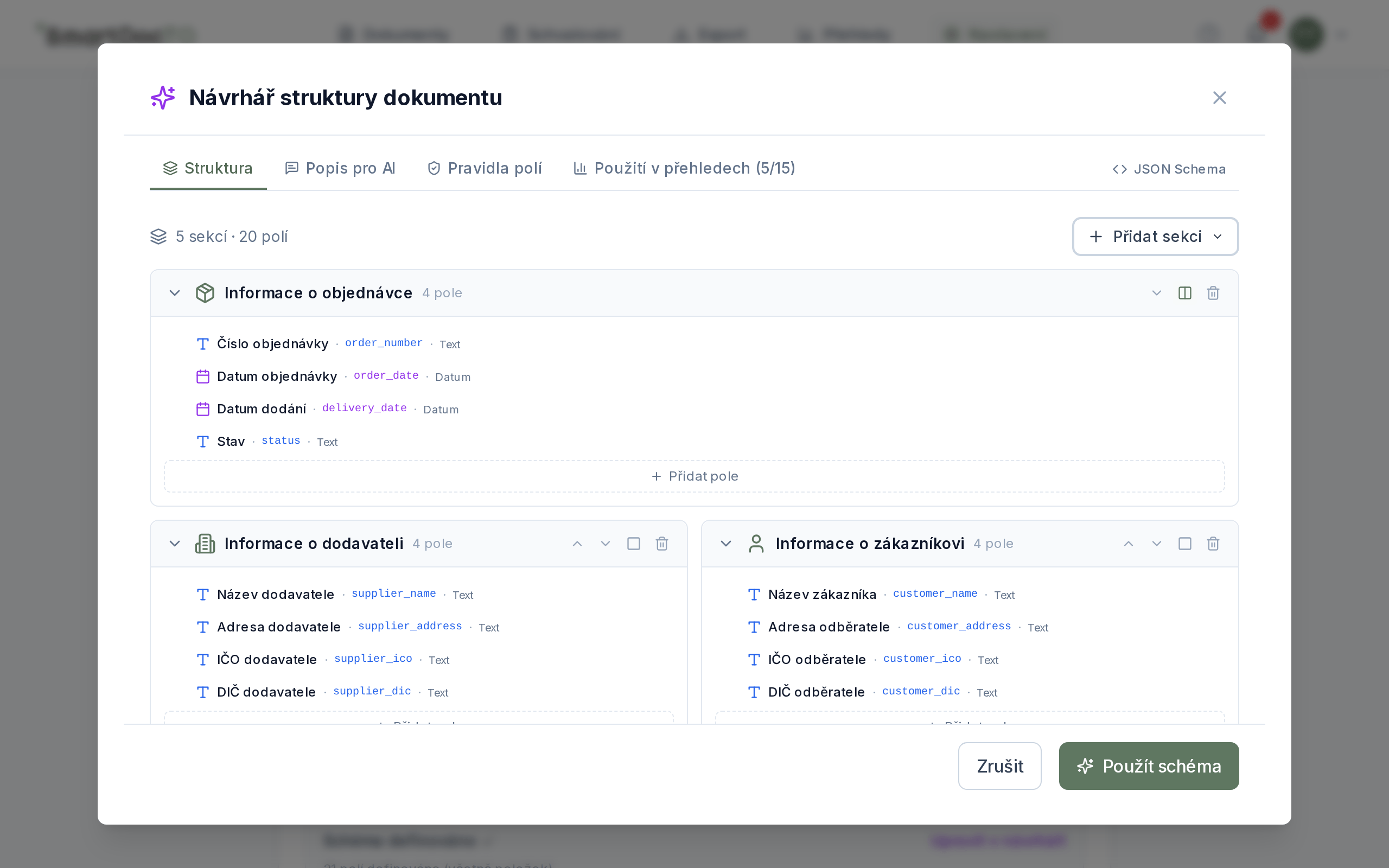
A template built around you, not us
You decide what you need from the document and in what format it should arrive.
Edit the template yourself
Add or change fields in the editor. No programming and no waiting for IT.
What extraction can do
Fewer corrections and fewer false alarms.
Custom template
Data normalization
Recalculations
Confidence
Frequently asked questions
Is this just OCR?
No. OCR turns an image into text. AI then understands which value is the document number and which is the VAT ID, even in a layout it has never seen.
Do we need a template for every supplier?
No. A template belongs to a document type, such as an invoice or an order, and applies to all suppliers.
What if the AI reads a field wrong?
You correct the value in the document detail, and the correction is recorded in the history.
Try it on your own documents
A free pilot we set up together with you on your samples.