
Business document processing
SmartDocTO receives an invoice or another business document, extracts the required data, sends it for review and approval, and then exports the approved data to your ERP.
What is SmartDocTO?
SmartDocTO is an AI platform for controlled business document processing. It extracts the required data, applies configured checks and approvals, and prepares the result for the next system.
The document arrives. The manual work is only beginning.
Someone opens the attachment, retypes the data, looks up the context, sends the document for approval, and checks whether it reached the target system. SmartDocTO connects these steps and keeps people involved where their judgement is actually needed.
Who is SmartDocTO for
It delivers the most value where the same document types recur and a team repeatedly retypes, checks, or passes on their data.
Accounting firms
Receive and process invoices from multiple clients, suppliers, and file formats.
IT and outsourcing
Contractor timesheets and invoices, hour checks, approval, and export.
Construction
Subcontractor invoices, handover records, and completed-work statements.
E-commerce
Supplier invoices, delivery notes, and claims documents at higher volumes.
Manufacturing and logistics
Invoices, purchase orders, and delivery notes connected to an ERP or accounting system.
Batch scans
Several documents in one scanned PDF, split into separate documents once you enable type recognition and splitting in your intake settings.
Working with another document type? A pilot can test whether it can be processed reliably under your rules.
From document to data in 4 steps
Each step has a clear purpose. The channels, rules, and integrations are configured around your process.
Receive and recognize the document
Upload it in the web app or receive it by email, API, or a secure link. Depending on your intake settings, document type recognition can be enabled, and PDFs that contain several documents can also be split into separate documents. A file fingerprint helps identify repeated uploads of the same file.
Extract and check
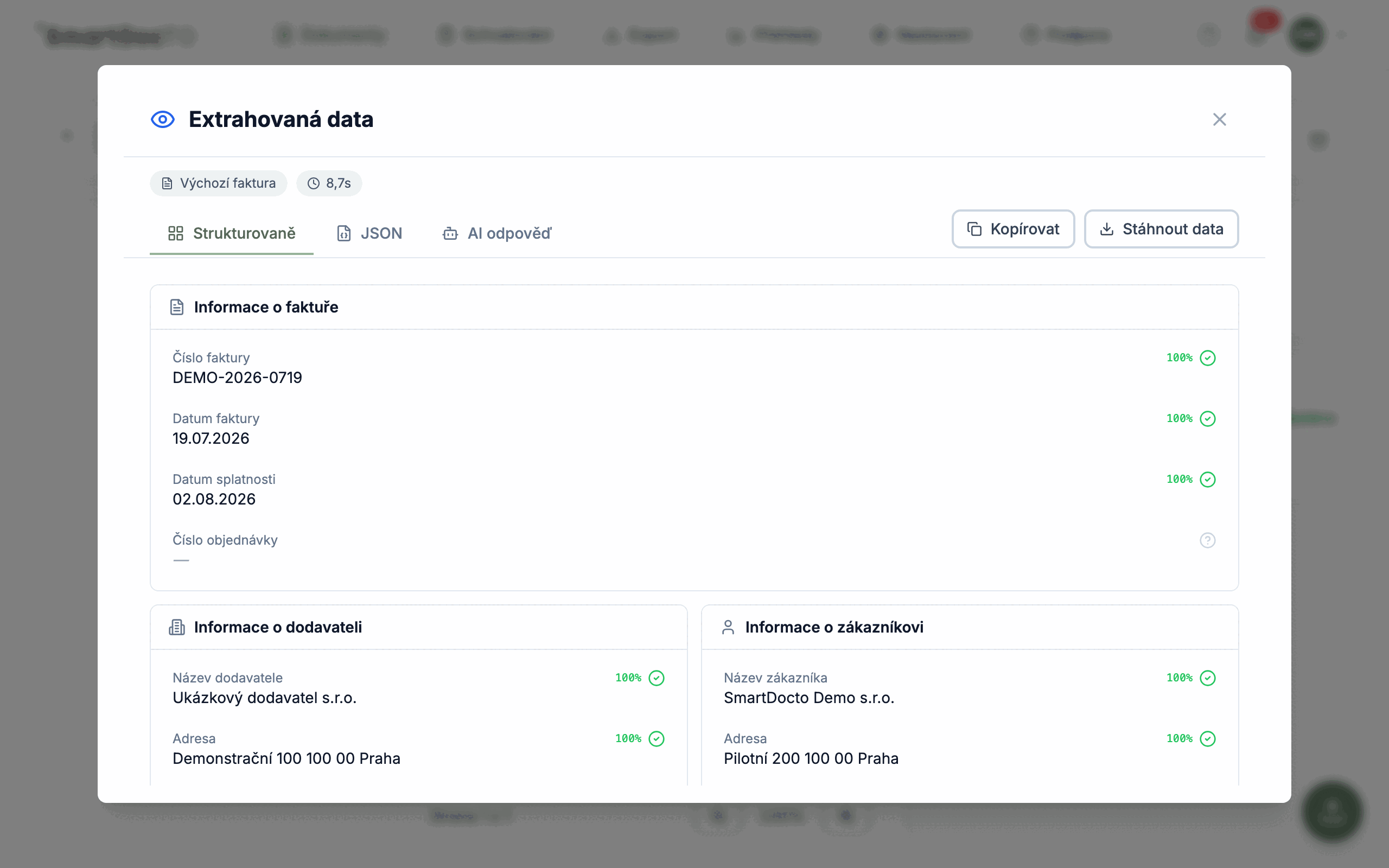
AI fills the fields defined in the template. The user sees the values, their confidence scores, and the results of configured validations.
Approve
When the process requires approval, rules assign the document to responsible users and record their decisions.
Deliver the result
Once the conditions are met, the data can be sent to an ERP, accounting platform, or another destination. For deliveries over SFTP and to SharePoint or OneDrive you choose whether the document goes out on its own or together with the whole email batch composed into a single PDF. The delivery result remains in the document history.
Traceable document processing history
The history captures supported events, approvals, and changes from document upload to data delivery.
Who approved what and when
Who approved what, when, and why. Recorded document events from upload to export, including field edits and stated reasons.
Duplicate detection
The system compares file fingerprints and warns when the same file is uploaded again. An authorized user can allow the upload as an exception.
System connectivity
Receive documents by web upload, API, or email. Data can be delivered to an ERP or accounting system, with delivery attempts recorded in the history.
Frequently Asked Questions
What happens to an invoice after we send it in?
What happens when the AI gets something wrong?
Can it handle a PDF that contains several documents at once?
What documents besides invoices can it handle?
How fast can we roll it out, and what does the pilot involve?
Start with one real process
We select one specific process, configure it on your samples, and evaluate the result together. Approval and integration are included only when they are part of the agreed pilot scope.
Try for free